HowTo.Bible
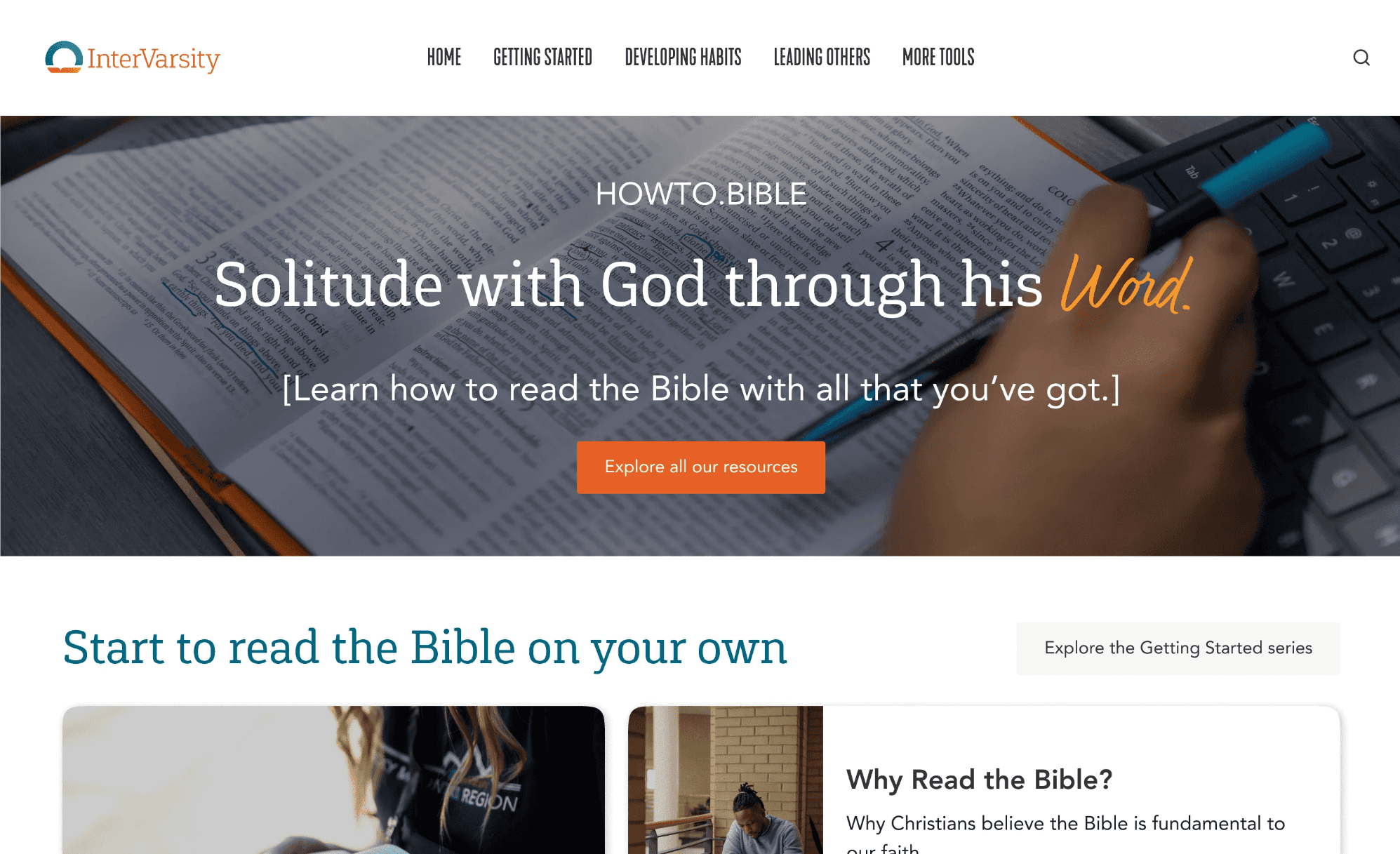
While working with InterVarsity, a large nonprofit, I was tasked with redesigning a resources website for the Scriptural Engagement team. The website was disorganized and unfocused, with outdated content and promises to “add more resources” soon.
Role: Lead UX Designer
Industry: Nonprofit
Duration: 2 months

Background
The Scripture Engagement team wanted to update this site to cater to four main audiences:
New Christians
Regular Bible readers
Bible study leaders
Bible leader trainers.
I also had to work within the constraints of an organizational design system and learn how to design according to our brand guidelines.
Designing for each of these audiences was the most difficult part of this project. I pushed through, though, because I believed in this website’s mission: to help people ask hard questions and seek out the answers.
For this project, I used Figma, Microsoft Forms, Treejack, and Miro.
Process
I followed a five-step process for this project:
📊 Research
I wrote and implemented a research plan to conduct surveys, interviews, and tree tests with target users.
💡Gather Inspiration
I collected inspiration from other bite-sized educational platforms (like Khan Academy) and resource hubs (like BibleProject).
📐 Prototype
After developing a sitemap, I moved from paper sketches to wireframes to responsive pages in Figma.
🔄 Iterate
Each week, I received feedback from my supervisor and the rest of the digital product design team. I implemented most of their recommendations, especially for the visual layout of the site content.
🫵 Present
I led a meeting with key stakeholders to present the final design.
Research
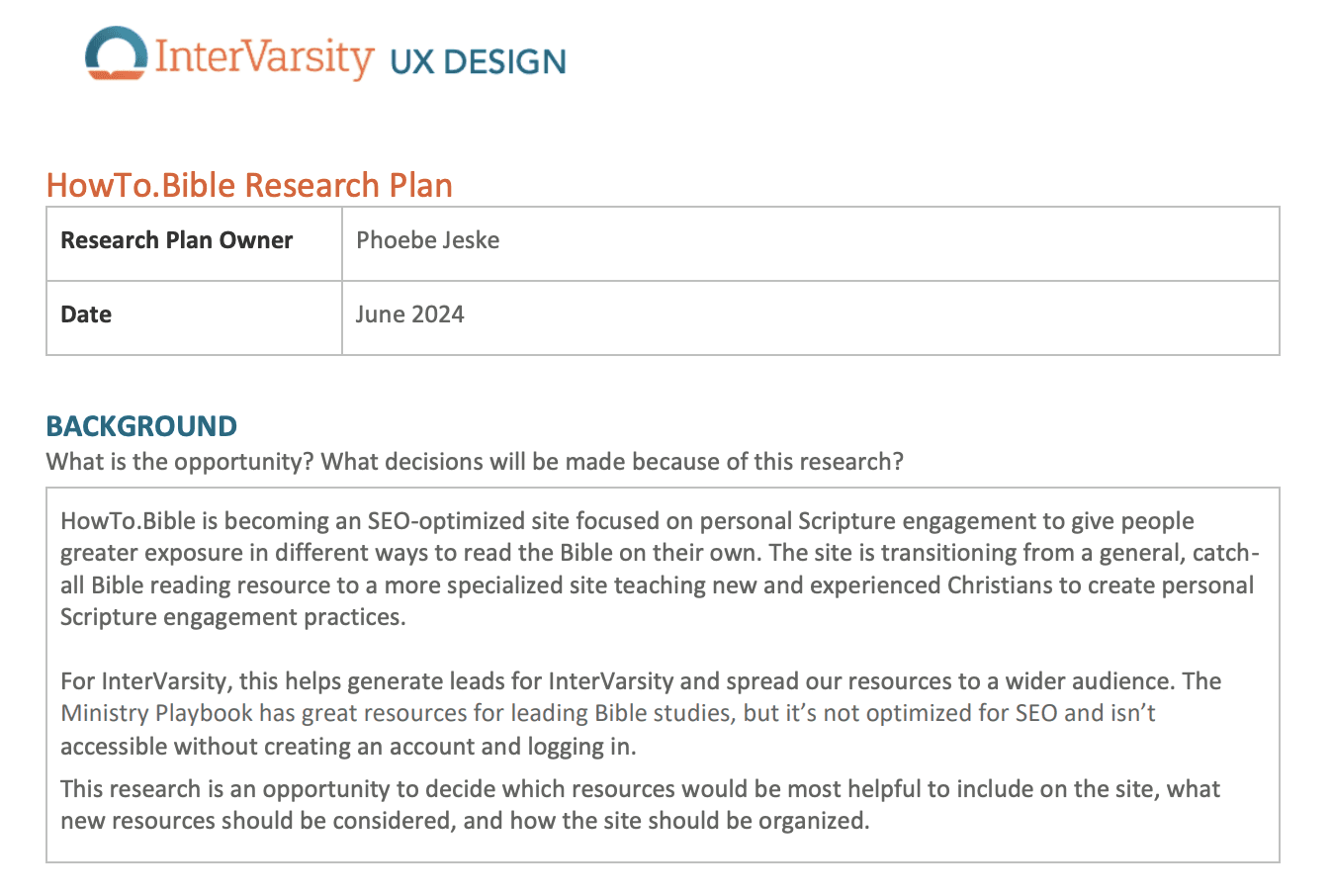
Below is my research plan describing the details of the survey, interviews, and tree test.
Results
About 160 people responded to the survey. I conducted a tree test with 15 target users and interviewed four users. Here are some insights from each of the main themes that I analyzed:
Barriers to reading the Bible regularly
60% of regular Bible readers agree that they get distracted when they read the Bible.
People don’t read the Bible regularly because they struggle with consistency.
30% of regular Bible readers agreed with the statement “I can’t maintain a consistent Bible-reading practice”
Hopes for resources
Users prefer concise, flexible content.
Most Bible readers (70%) spend between 10-30 minutes reading.
Bible readers desire contextual understanding, especially accessible historical and theological context as they read.
Bible perceptions and habits
Regular Bible readers have a strong spiritual connection to Scripture but find it challenging.
97% of Bible readers surveyed say that they feel closer to God when they read the Bible.
60% of regular Bible readers say that the Bible is confusing.
Inspiration
I used Miro to collect inspiration from other online education platforms. Here are some screenshots.
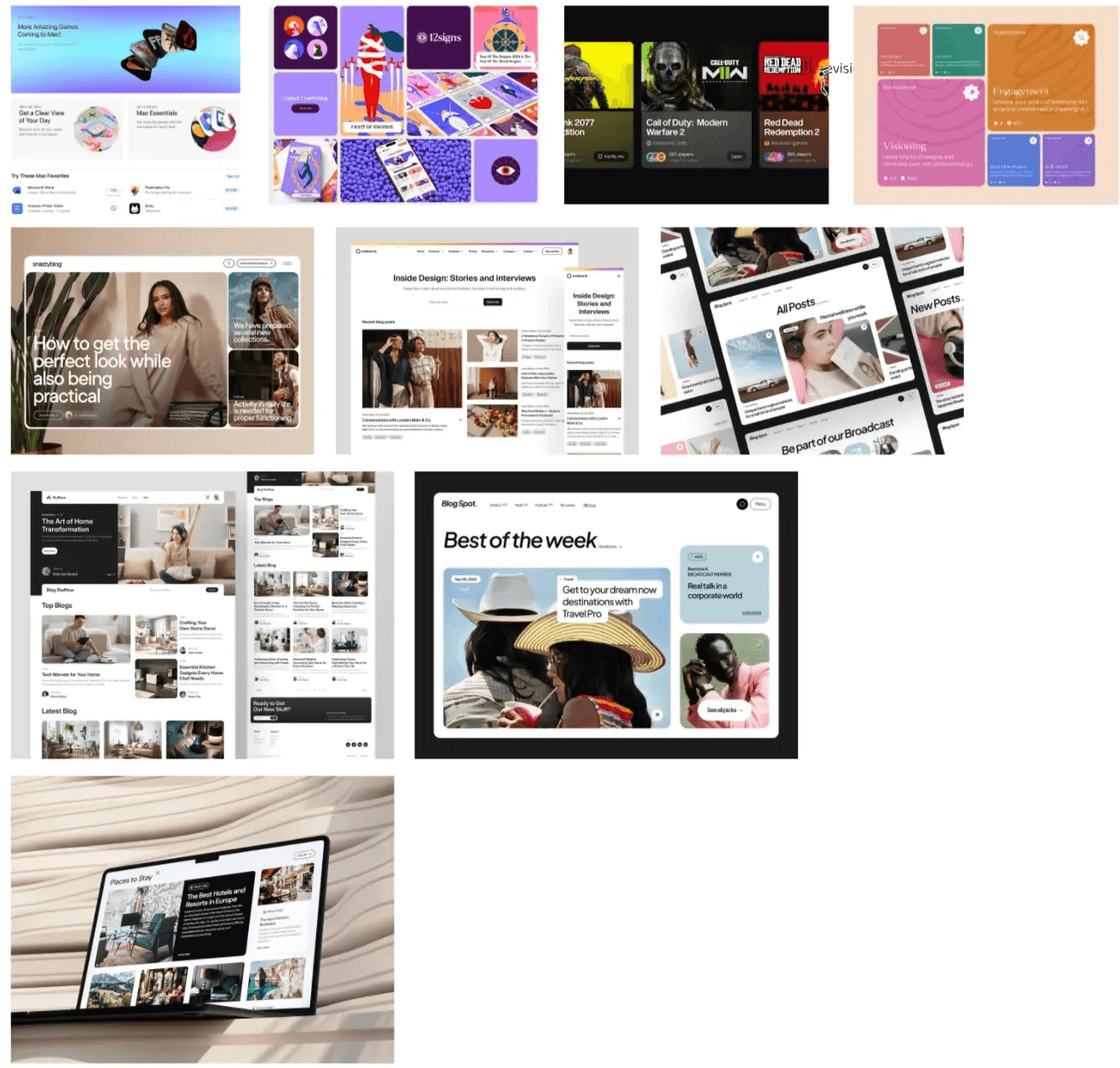
One moodboard I created.
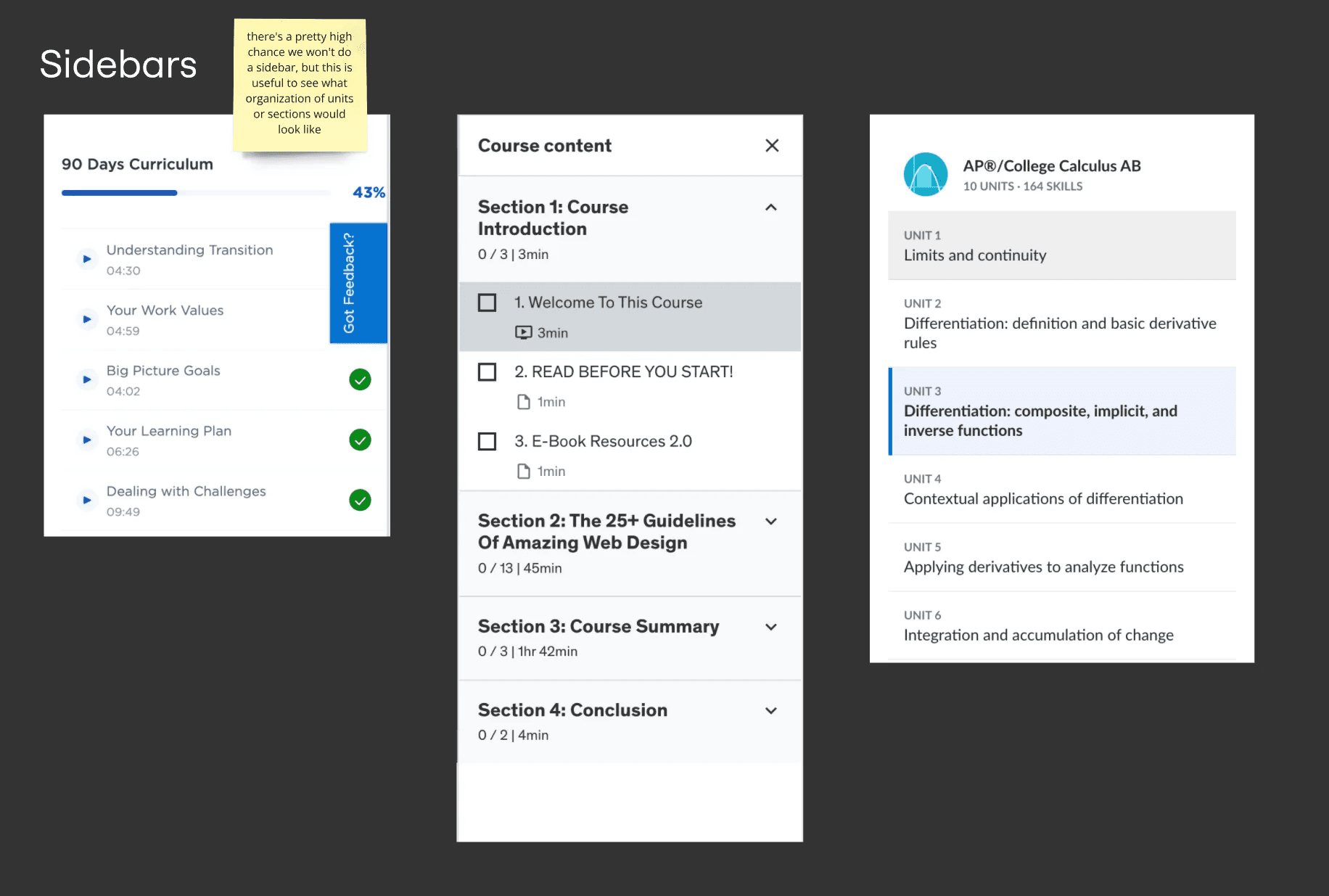
These sidebars helped me conceptualize a secondary navigation menu and what it would look like to highlight active pages.
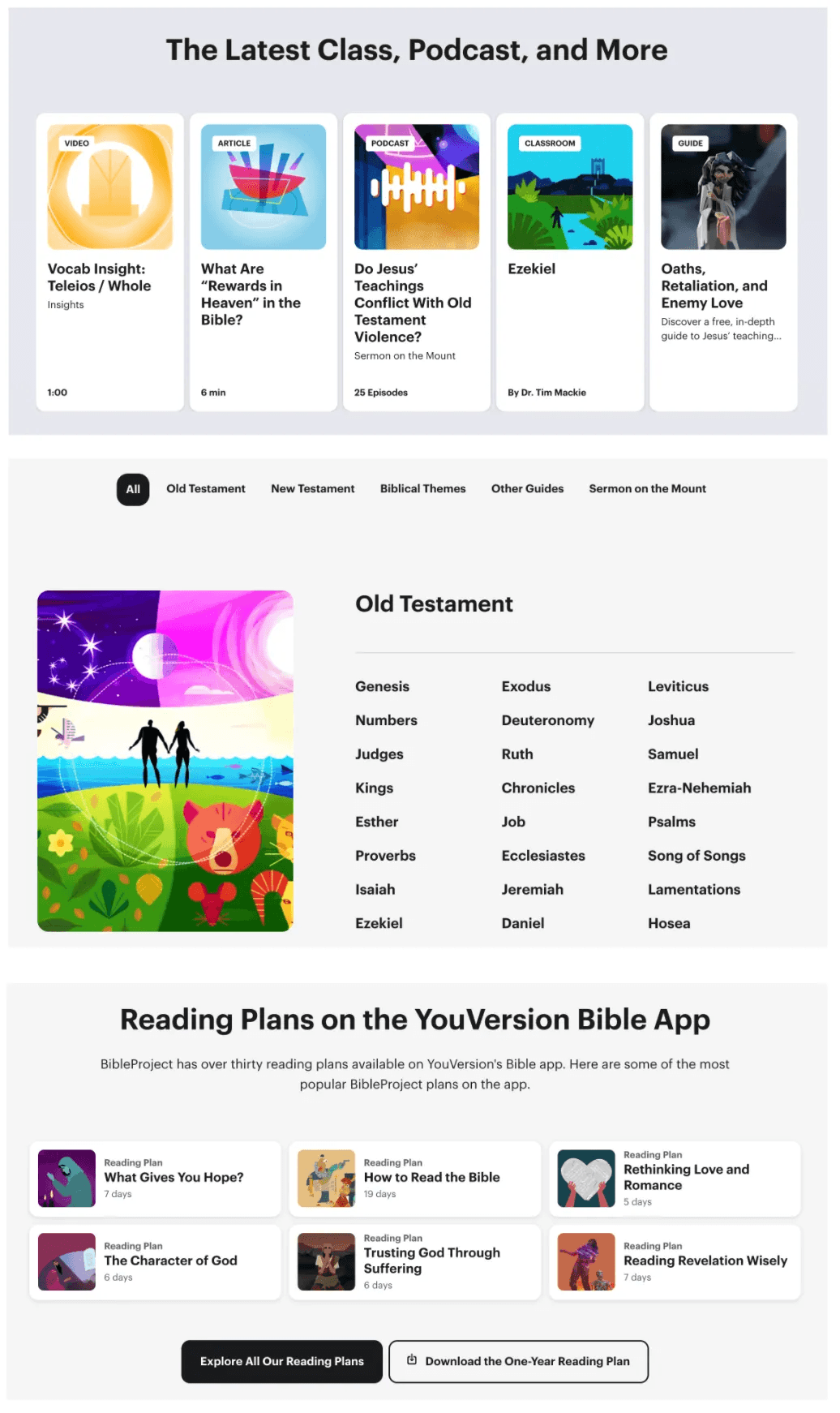
I liked the minimalist card layout of BibleProject, with reading/listening time displayed right on the card.
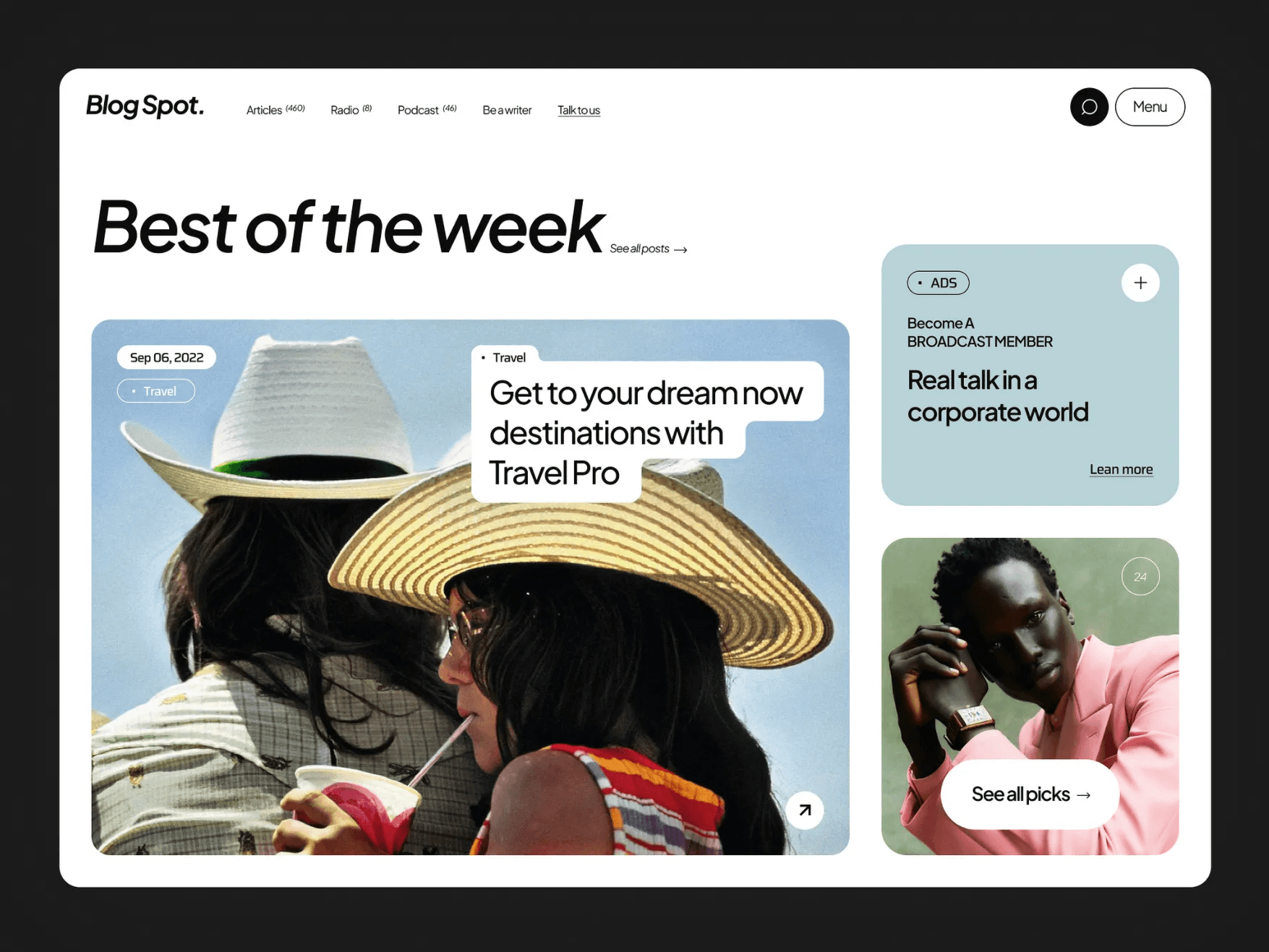
Another creative example of an asymmetrical card layout.
Sitemap
Target users were visiting the website to learn three main skills:
Leading Bible studies
Reading the Bible on their own
Training others to lead Bible studies
With this in mind, I created a preliminary sitemap with a progressive disclosure model: first showing the user a screen with three options, and then filtering site content down to their specific needs.
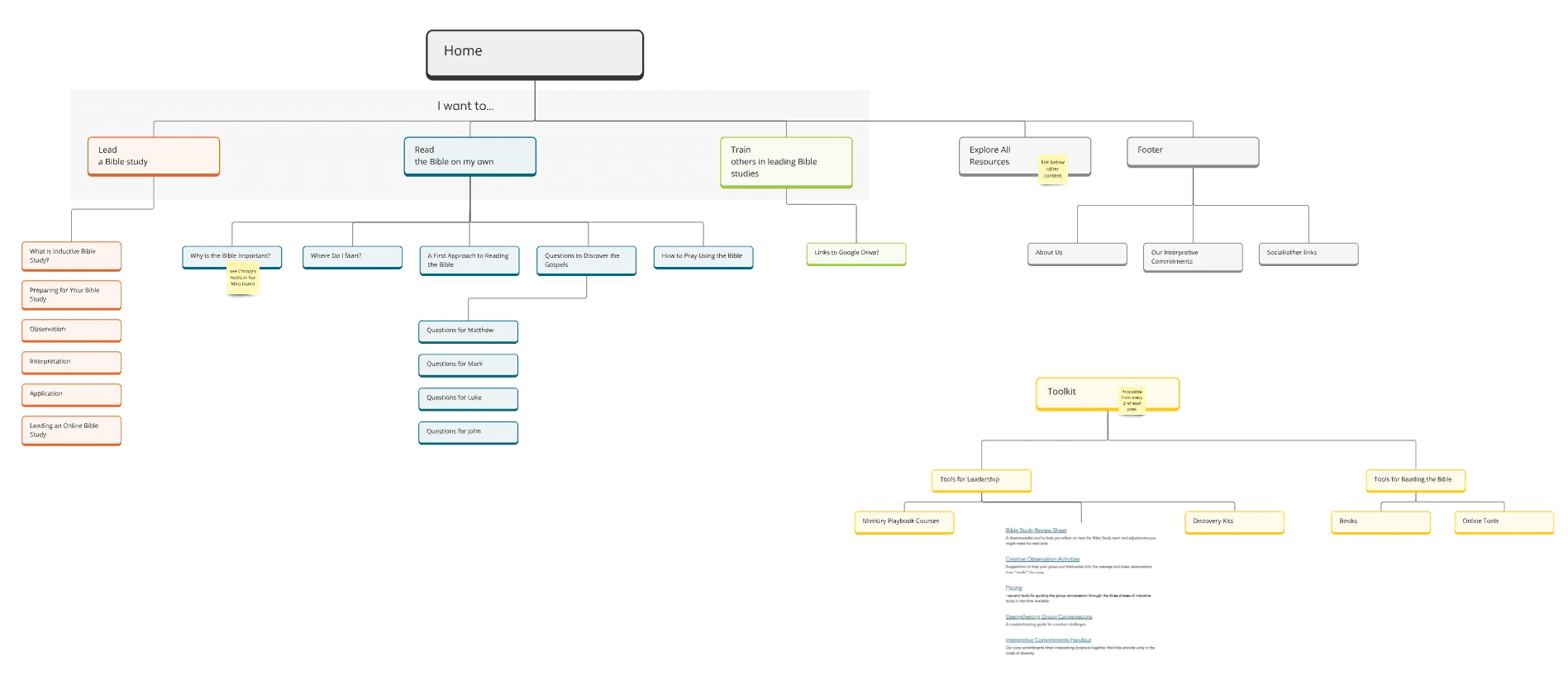
After gathering feedback from the client and data from Google Analytics, we realized that the site was trying to cover too much ground. Most users were only visiting a few personal Scripture engagement pages, like guides to reading a specific book, and then leave the site. It was in their best interest to narrow the site’s focus mostly to reading the Bible, rather than leading Bible studies or training leaders.
I created a second version of the sitemap with a new architecture.
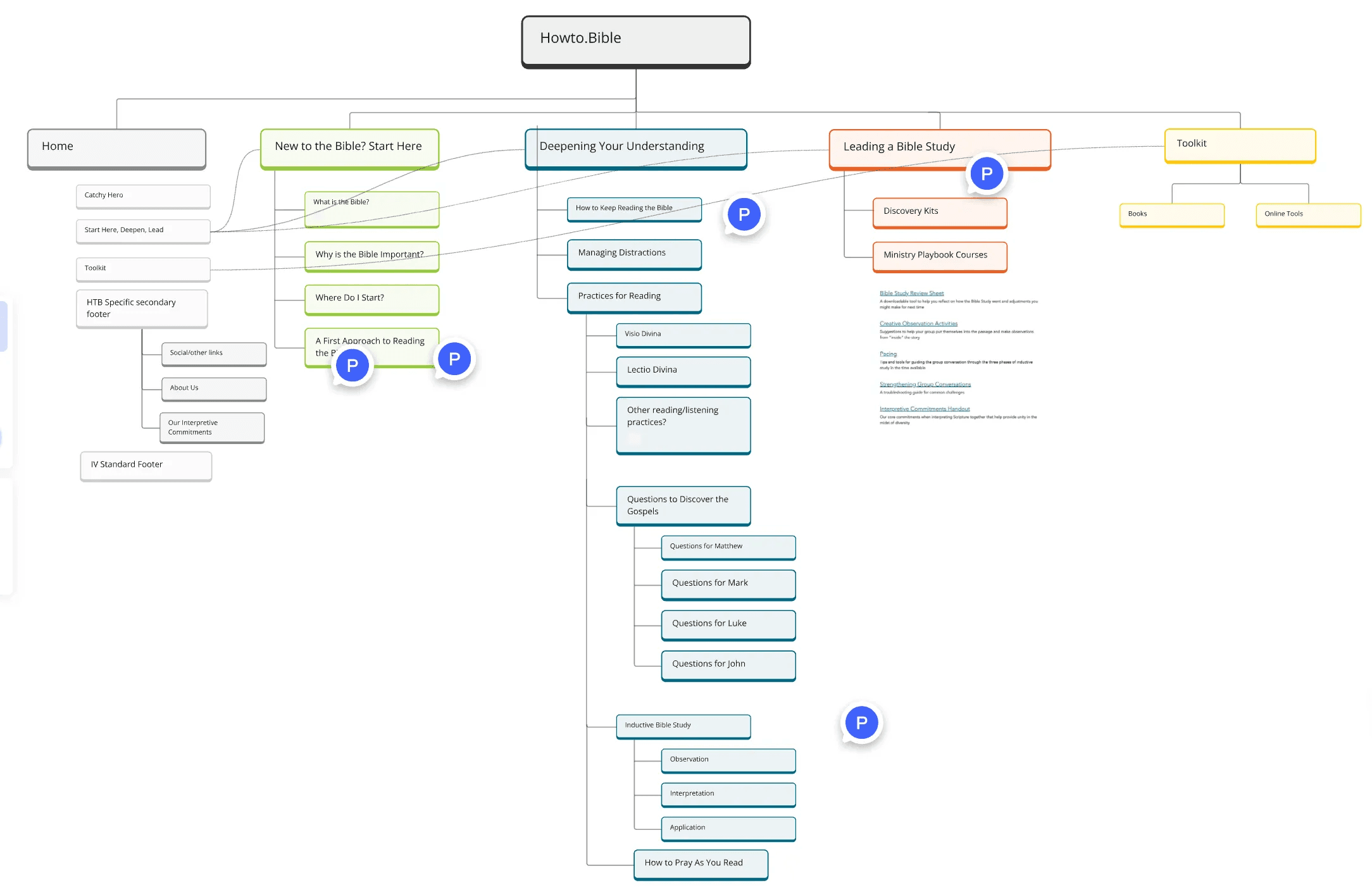
We decided to further subdivide the information architecture into three content groups: one for newer Christians, one for experienced Bible readers, and one for Bible study leaders. This sitemap featured a “new to the Bible?” section for those newer Christians, with a “deepening your understanding” for people more familiar with the Bible. There would still be a section for leaders, but this would be condensed into fewer pages and hidden further down on the homepage.
After conducting a tree test with this sitemap and getting recommendations for copy from the client, I further revised the sitemap to its final version.
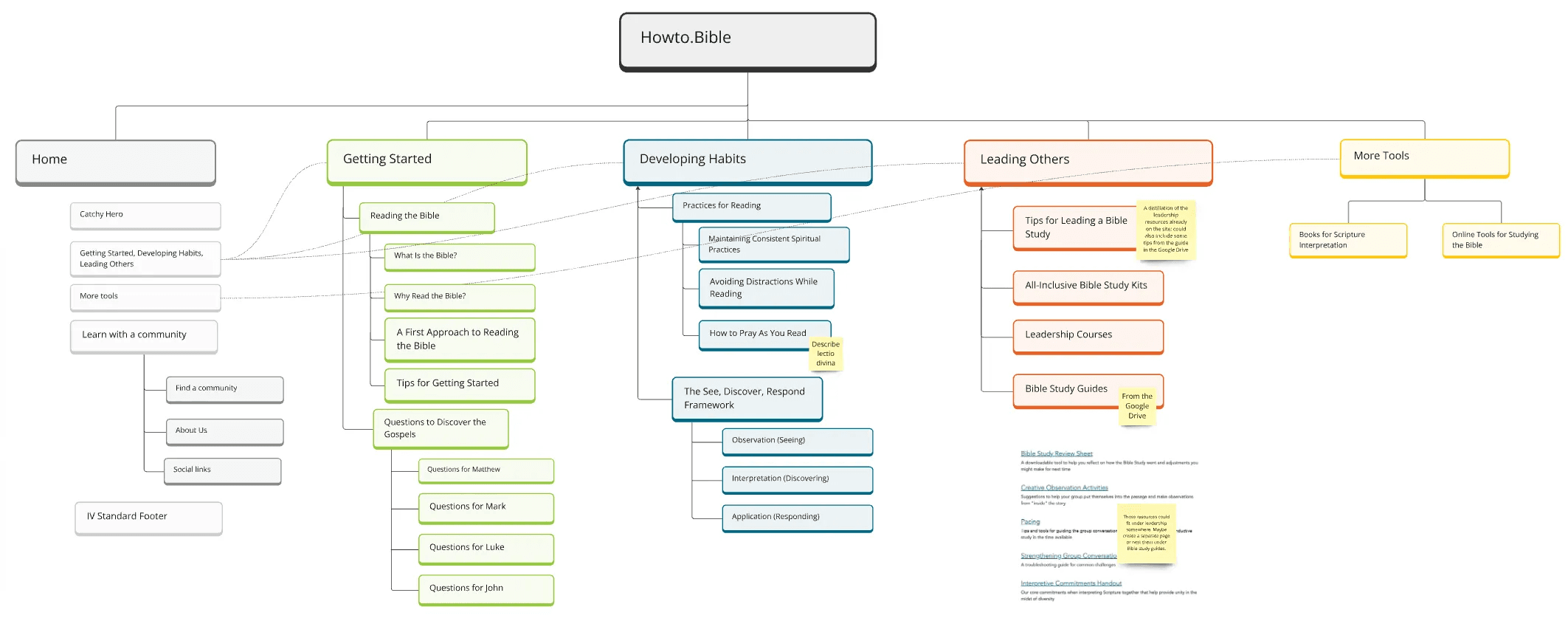
This version takes into account key concerns for Bible readers, like avoiding distraction and maintaining consistent habits. It also includes a wealth of resources for people who are already familiar with the Bible, like links to online tools and interpretation books.
Wireframes
I wireframed some example pages in Figma, including the homepage, a resource page, and a toolkit with further resources.
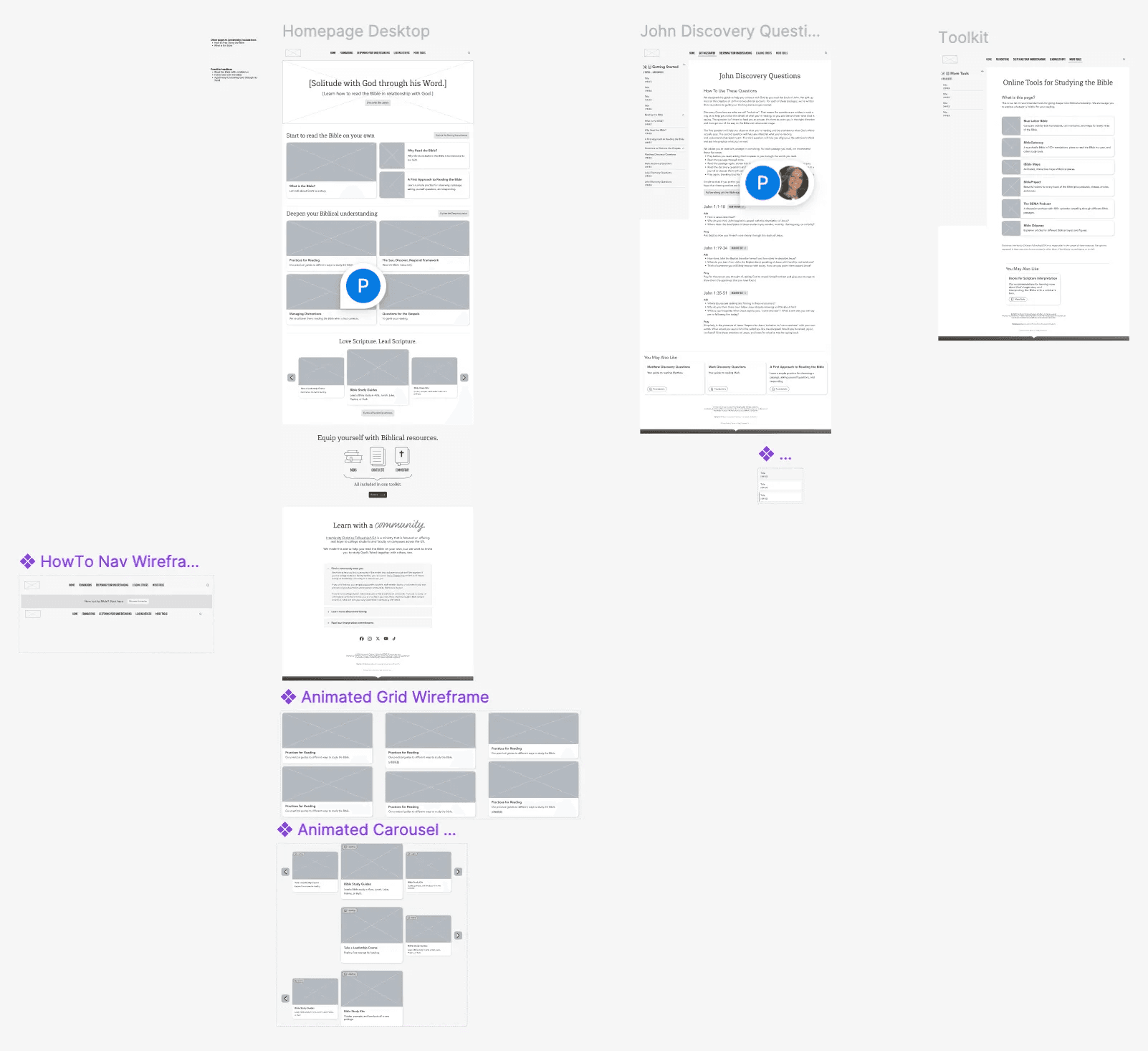
All the wireframes.
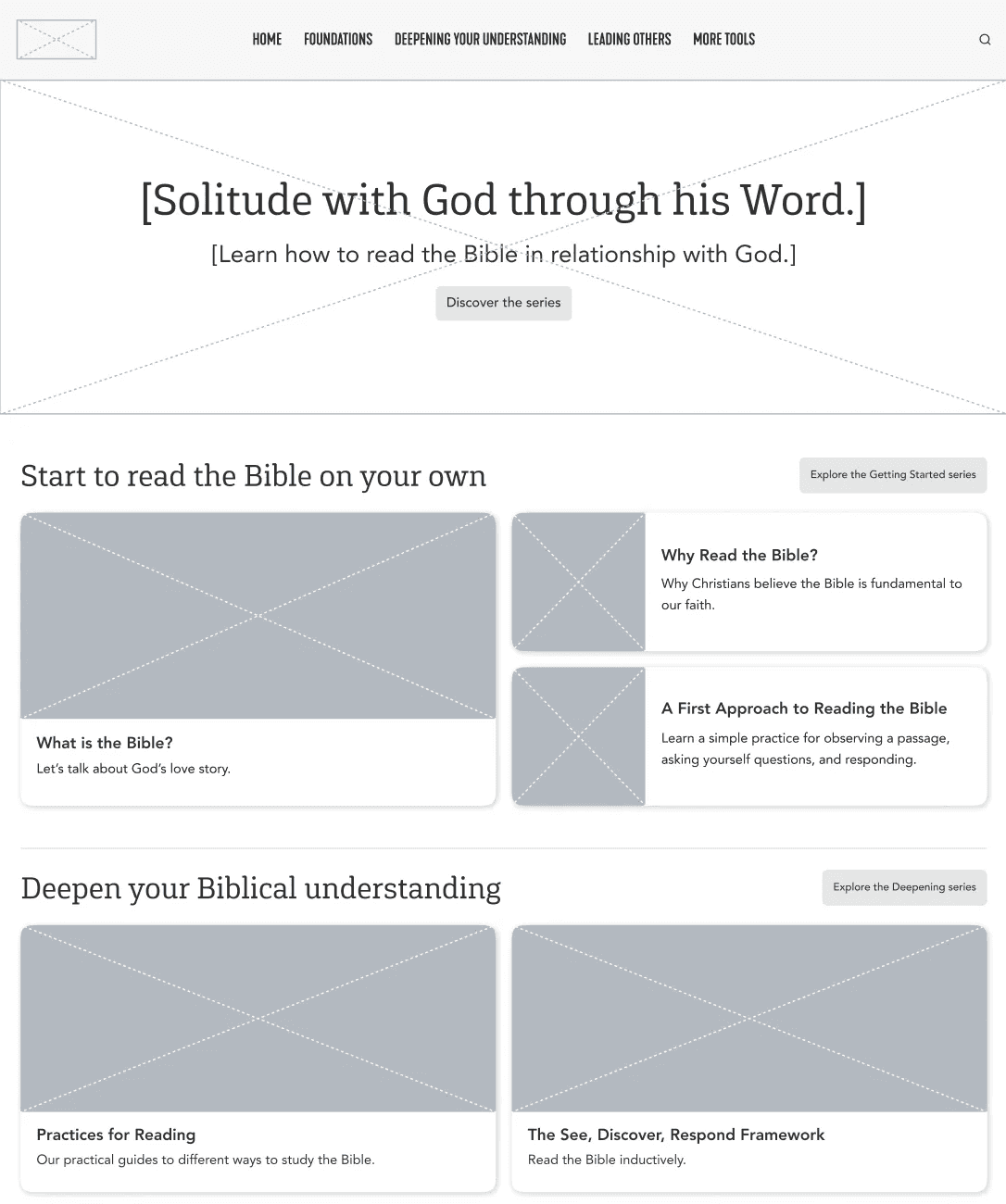
The homepage hero and cards wireframes.
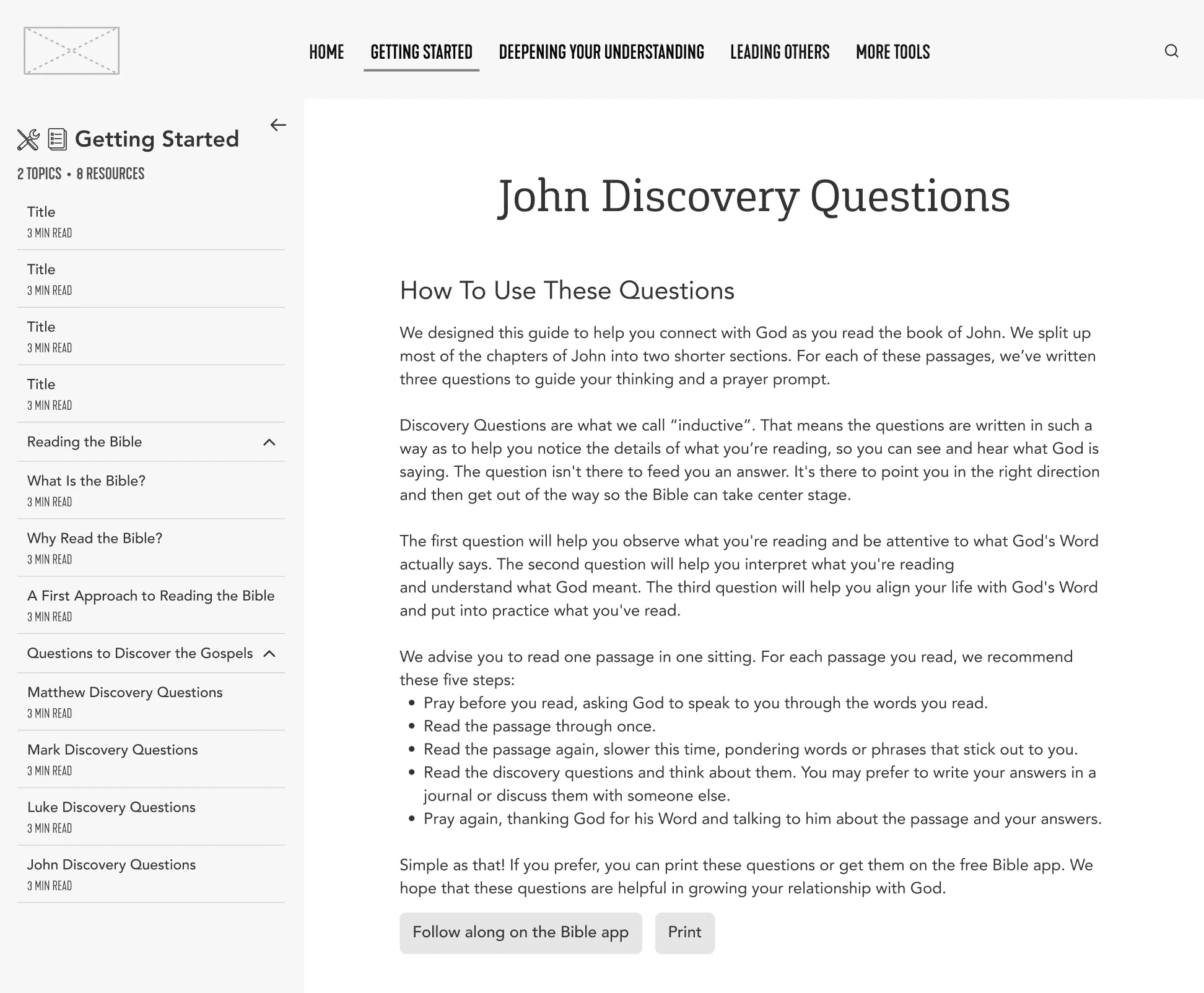
This is an example design for a resource page. Notice the sidebar design and the tab-like header navigation.
Final Design (before and after)
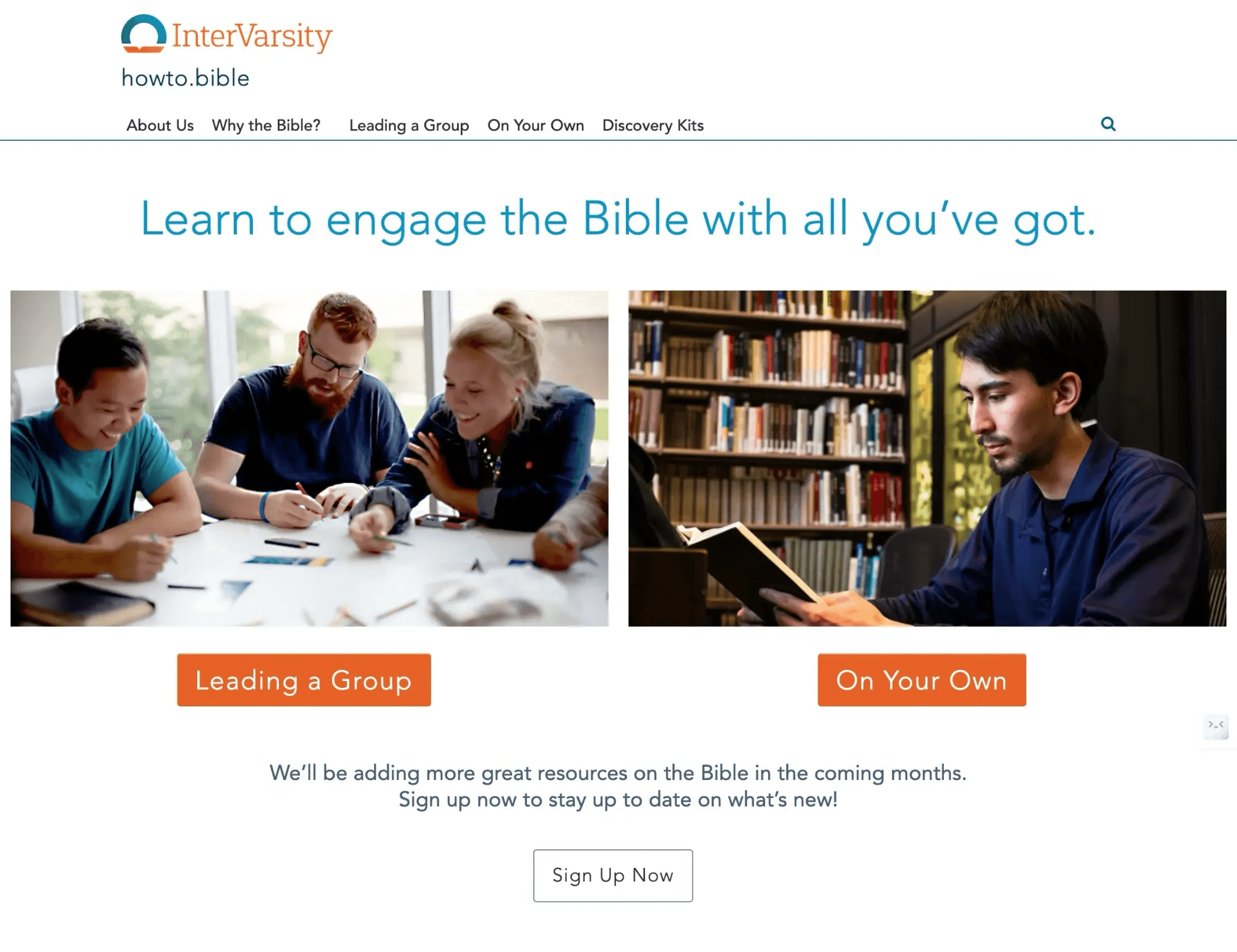
Here is the homepage before the redesign.
And here's the final design in Figma.
Some of the copy [in brackets] is not yet finalized.
To view the full prototype with animations and links, click on the image.