
AllTrails Search

Background
AllTrails is a popular website for hiking and bike trails. I decided to redesign the search function of AllTrails for my final UX design class project. Although I found the overall usability of the site to be excellent, the search function feels confusing and circular. I used Miro and Figma to map out the project and prototype a redesign.
Process
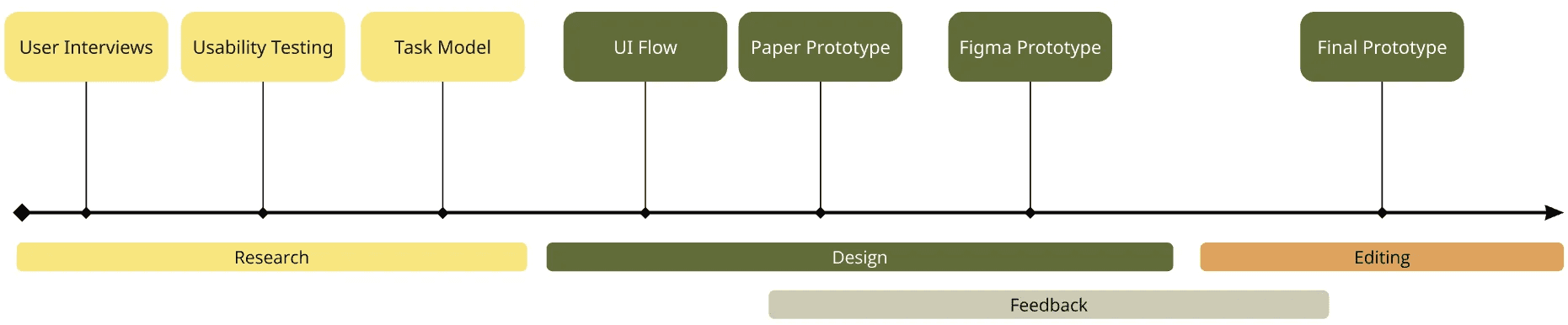
Visual representation of my process.
Tasks for this project included conducting user research through interviews and usability testing, determining user needs and typical user flows, and designing low to medium fidelity prototypes for search, share, and save functions.
This was my process:
🗣️ Interviews and Usability Testing
I conducted interviews and usability tests with three target users, each who reported going hiking at least once a month.
↪️ Create Task Model and UI Flow
I created a simple task model and UI flow for someone searching for a hiking trail on AllTrails.
📐 Prototype
I created a detailed paper prototype, complete with pop-up menus, to demonstrate my ideas to my professor and mentors before designing in Figma.
I then designed the full prototype in Figma in a sort of “Frankenstein” model: working from screenshots and AI-converted HTML to tweak designs as I saw fit.
🔄 Iterate
I implemented feedback from my professor and my mentors, especially about the tab menu, into the final design.
🫵 Present
I crafted a slide presentation explaining my process and presented to my classmates and professor.
Research
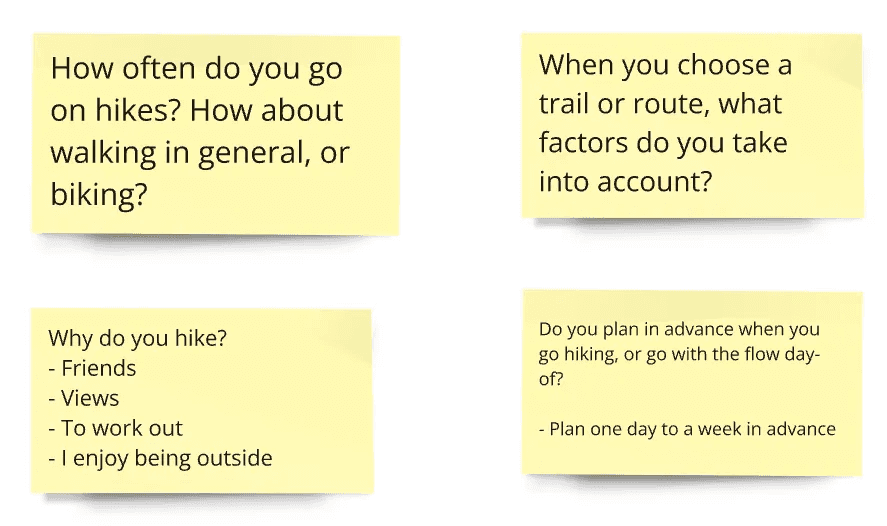
Some of my interview questions and answers.
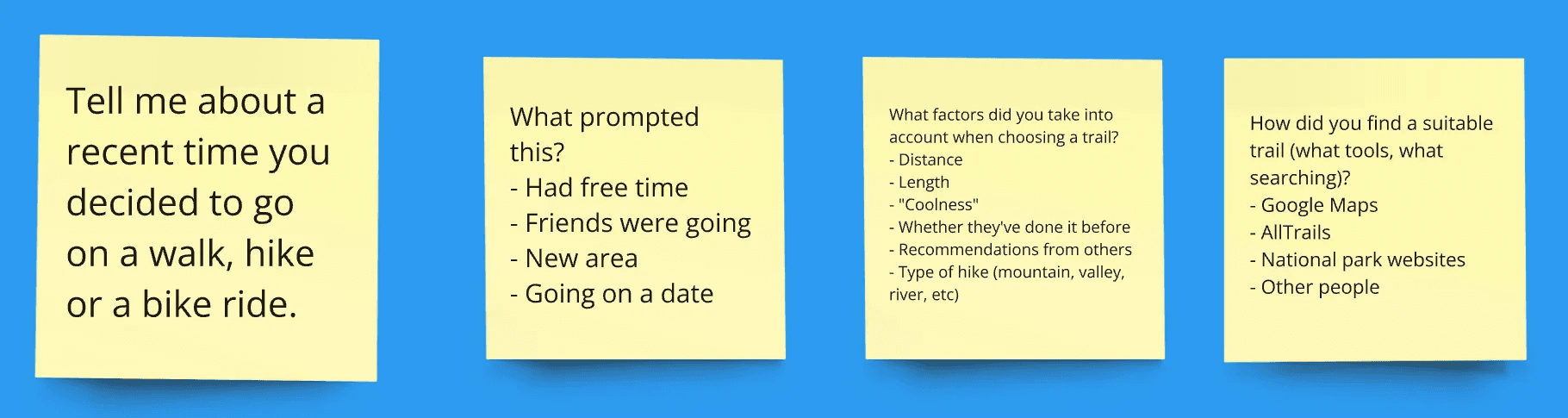
Here are some more questions that I used to guide my building of the task model, along with some notes from interview transcripts.
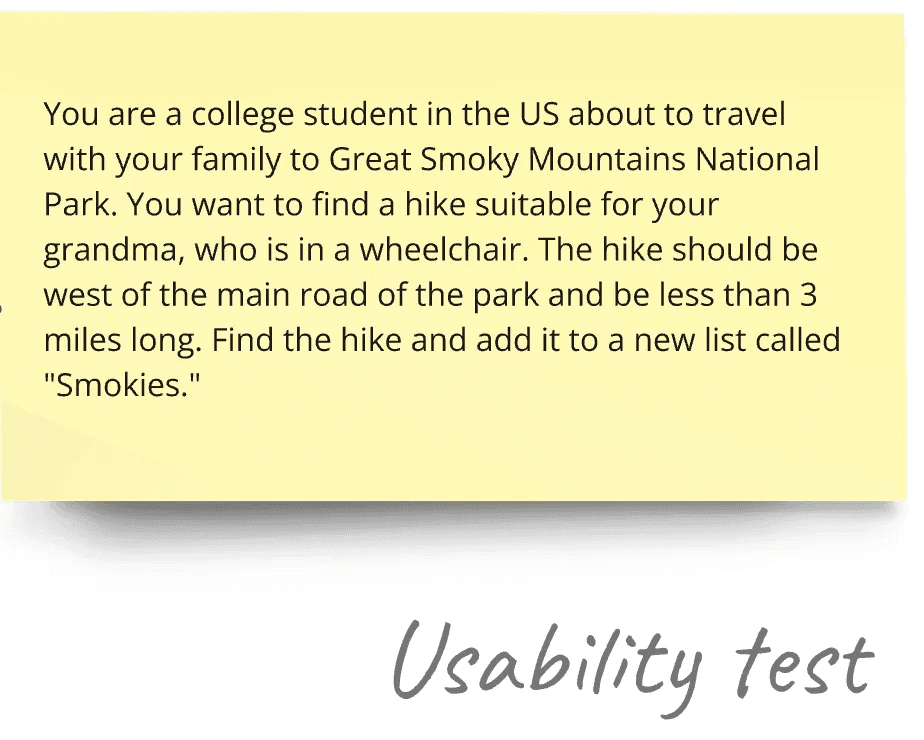
I also conducted usability testing on AllTrails’ current search function. This was the scenario I gave to test participants.
Time taken to complete this task varied from 2-10+ minutes. It tested the search function, filtering options, the map view, accessibility options, and the “save” function. None of the participants successfully completed this task without visiting the same pages 3, even 4 times in a circular flow.
Task Model
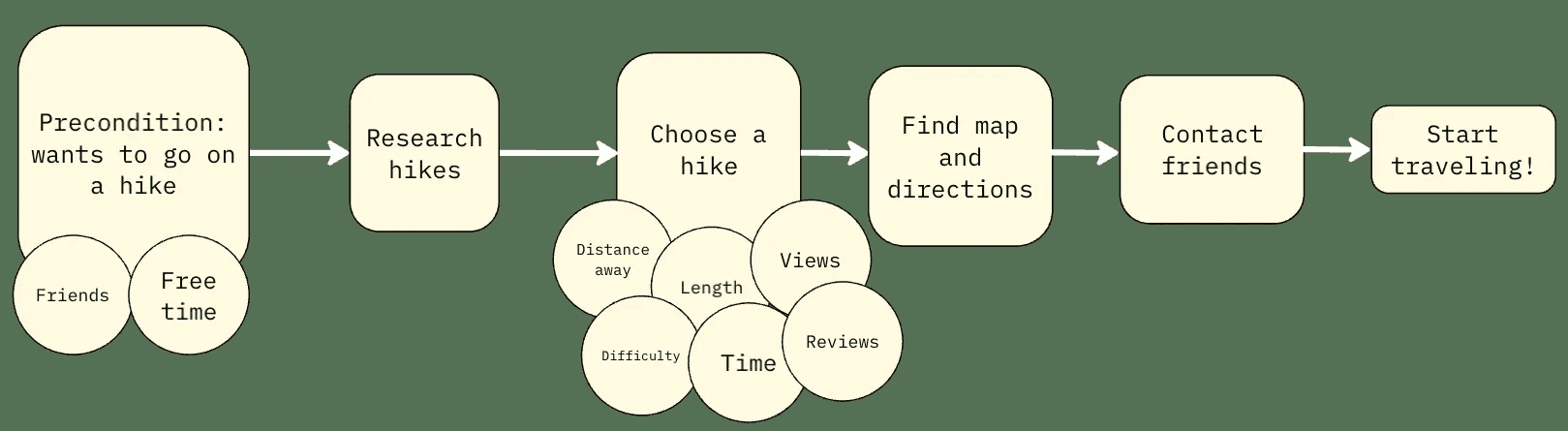
After preliminary interviews, I drafted this task model for a user searching for a hike. The circles represent factors that influence that step of the process.
UI Flow
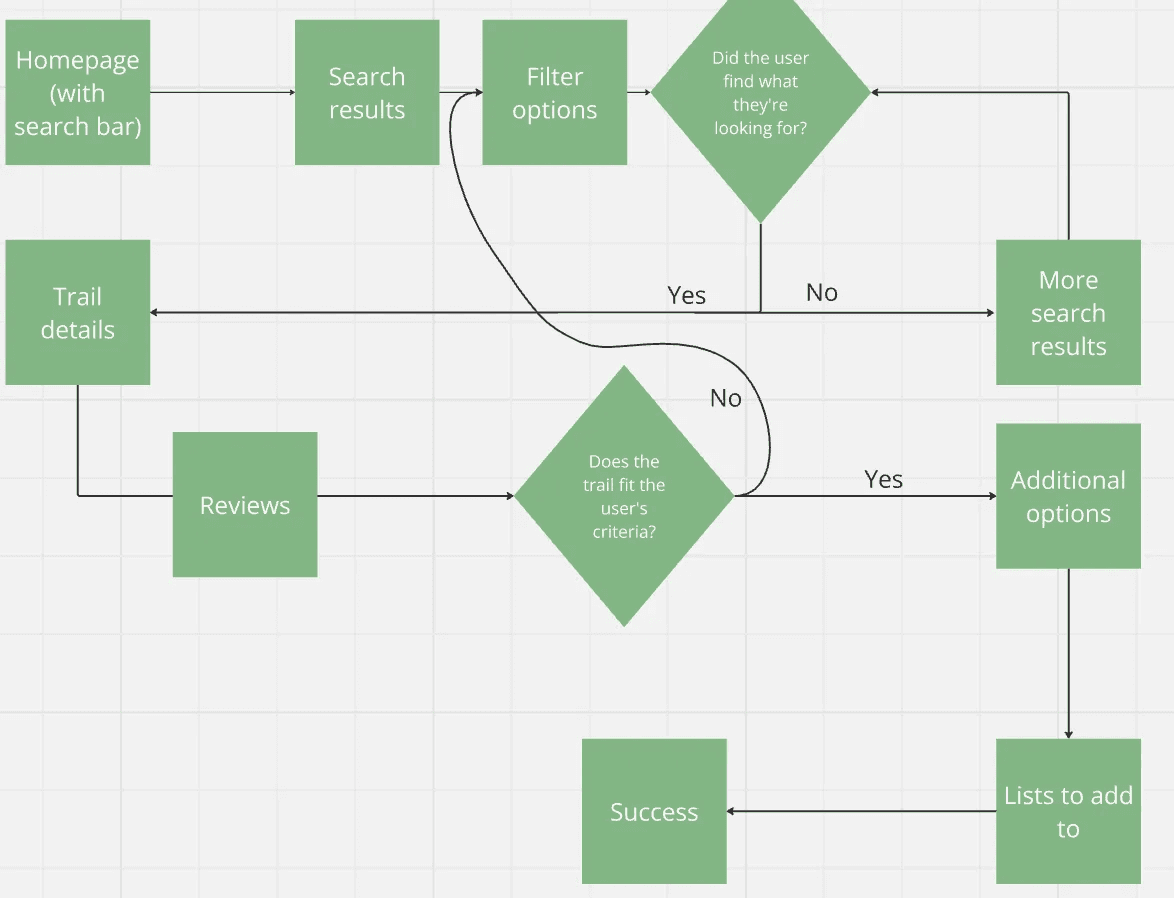
Before starting a paper prototype, I created this UI flowchart for the typical user. Each square represents a page, menu, or section of a page. The diamonds represent conditionals.
Paper Prototype
Many users had trouble finding options to filter trails, which was hidden under a small dropdown. One of my test participants couldn’t find a way to filter trails at all. I decided to make the filter options more obvious by taking inspiration from some other trail databases and separating the filter menu into a sidebar.
It was also annoying to users to have to go back and forward in their browser to access photos for each trail, and the trail page was already too long with dozens of reviews clogging the page and slowing load times. To solve this problem, I chose to implement a tab-based menu system for general trail details, photos, and reviews. In addition, I simplified additional options by putting them in a three-dots “more” menu.
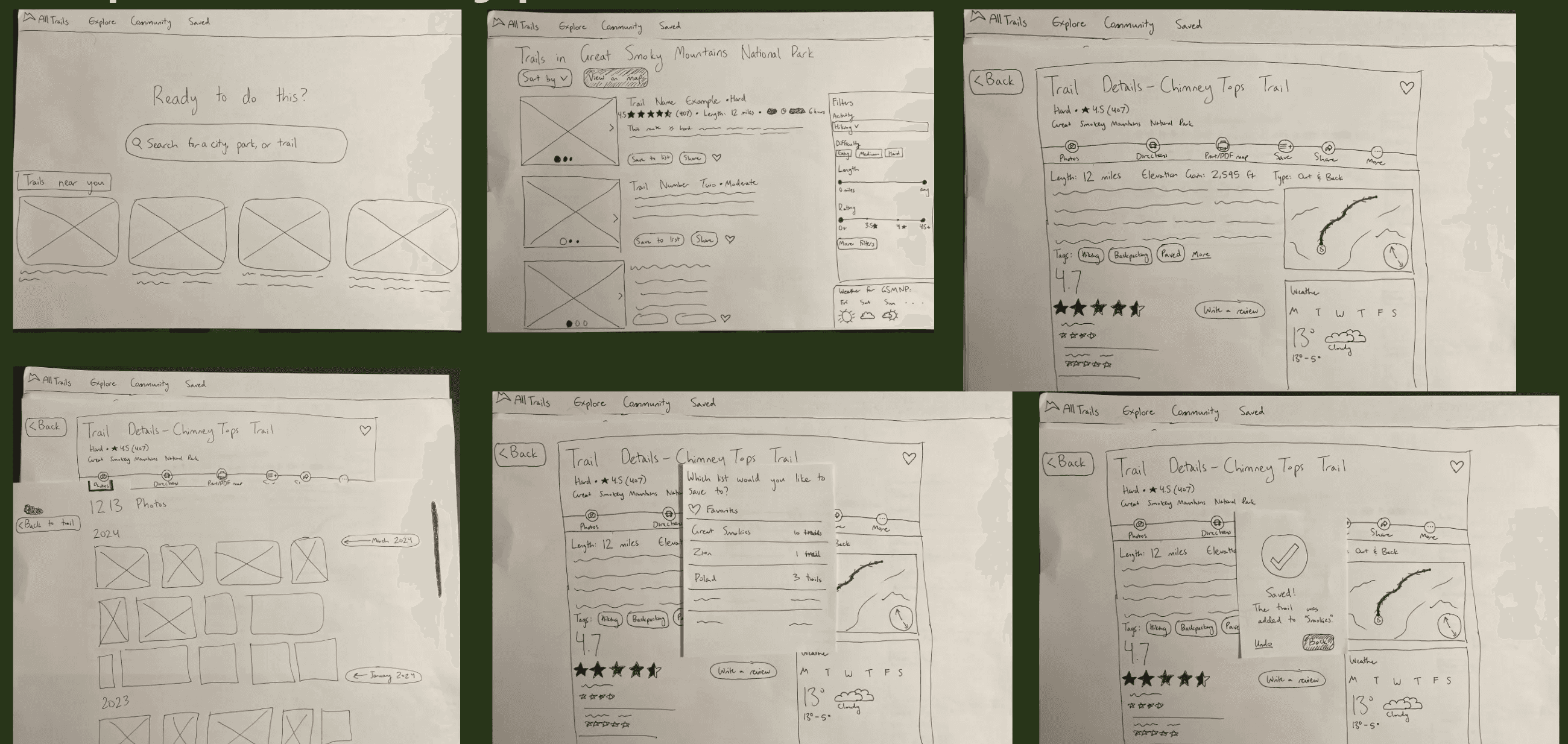
The final paper prototype.
Final Design
I received feedback from my professor about the layout of my paper prototype, including the confusing “back to trail” button in the tabs menu and no option to exit the add-to-list modal.
I fixed these minor issues in the final prototype in Figma. It’s not fully functional, but it illustrates the tab navigation and the save and favorite features.
View the medium-fidelity prototype here.